
 BiOVE File Mask for AILOCAL WINDOWS WORKFLOWProduct & pricing
PDF privacy before AI upload
Mask a PDF before ChatGPT sees it.
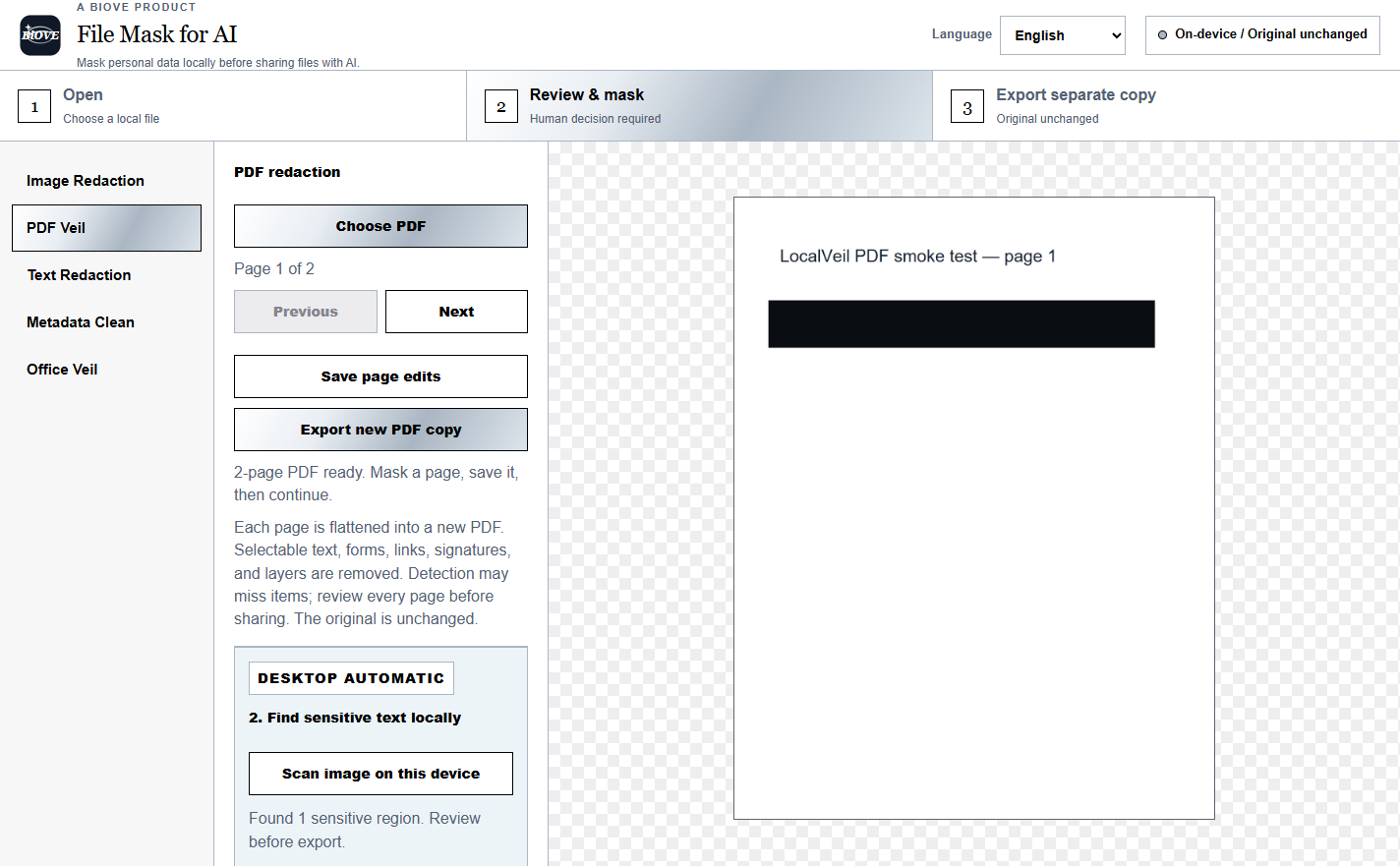
Open the PDF on your Windows device, review every page, add masks and export a separate flattened PDF. The original stays unchanged and is not uploaded by the app.
Windows x64 · v1.5.1 · local processing · human review required
Three-step handoff
Create the AI-ready copy first.
A dark rectangle is not automatically secure redaction. This workflow renders each page into a new PDF, then places the reviewed masks into that exported copy.
Open locally
Choose a standard PDF from the Windows app. Nothing is uploaded by this step.
Review each page
Inspect local suggestions, add manual masks and confirm the exact visible area on every page.
Export and verify
Create a separate flattened PDF, reopen it and check every page before sharing.
What flattening changes
The exported PDF removes interactive source layers.
In the current v1.5.1 PDF workflow, every page is flattened into a new PDF. Selectable text, forms, links, signatures and layers are removed from that copy.
- Keep the original somewhere separate.
- Search and copy-test the exported PDF.
- Review headers, footers and every page.
- Do not rely on automatic detection alone.
Important: OCR and detection can miss content. This is a preparation tool, not a guarantee of complete anonymisation or legal compliance.
Continue the privacy check
Use the free checklist before the upload.
The destination, account settings and content you leave visible still matter. Complete the checklist even after you prepare the file.
Test the actual PDF workflow before paying.
The Preview opens real files locally. Paid editions unlock supported clean exports.