
Senior-friendly website audit in Chrome
Find the friction older users feel first.
Run 110 automated checks on the page open in Chrome, then turn the highest-priority findings into review-ready change guidance. The core audit runs locally in your browser.
Free shows the five highest-priority findings per screen. No account is required for the core audit.
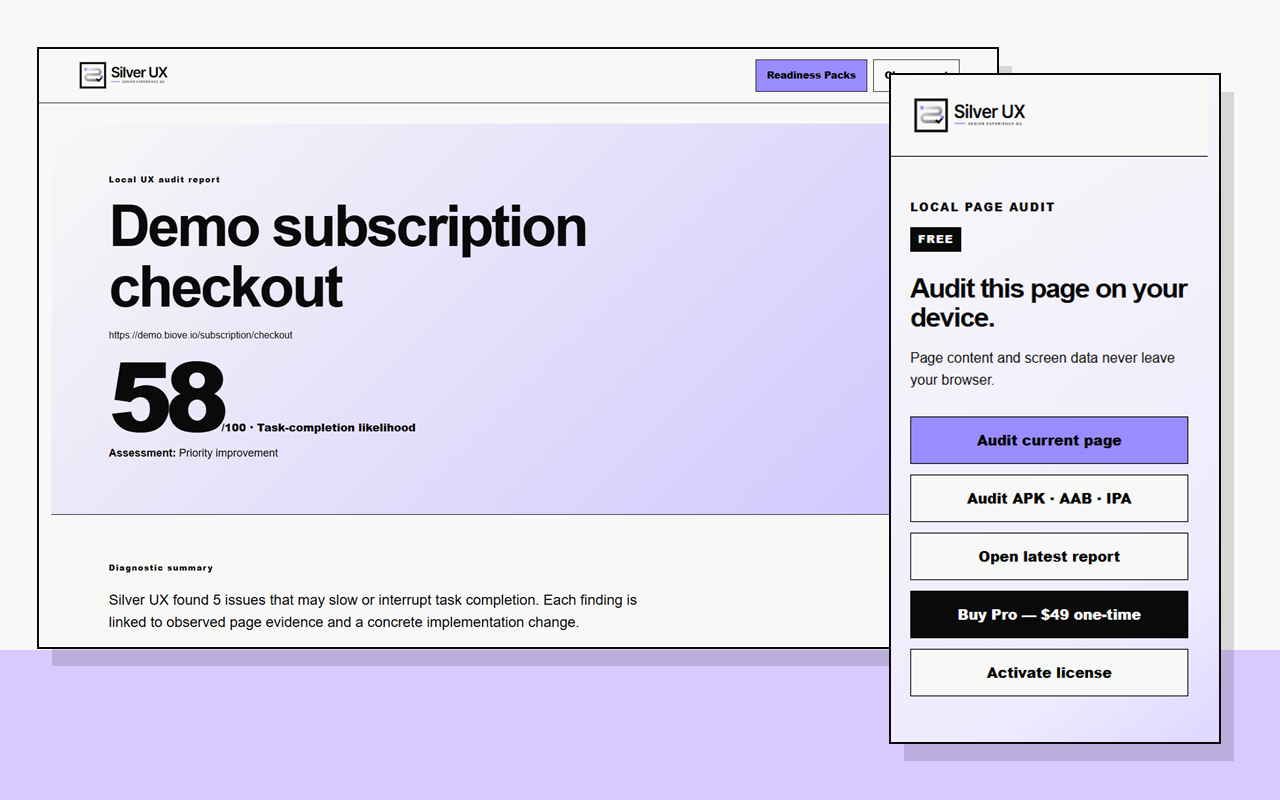
What it catches early
Check the details that turn a usable screen into a frustrating one.
Silver UX helps product, design and QA teams find repeatable issues before a moderated study or release review. It supports—not replaces—testing with real older adults.
Text and contrast
Surface text-size, line-height, contrast and dense-content candidates that deserve review.
Targets and states
Find small controls, weak labels and missing or unclear states that can raise interaction cost.
Errors and support
Review whether errors explain what happened, what the user can do next and where support is available.
Three-step workflow
Audit the real screen, not a generic checklist.
Open the page
Use the website, responsive view or authorized signed-in web app screen you want to review.
Run Silver UX
The extension checks the visible page locally and prioritizes findings for review.
Review and hand off
Pro turns reviewed findings into complete reports, JSON, print/PDF and four Readiness Packs.
Real product evidence
See the finding, report and implementation handoff.
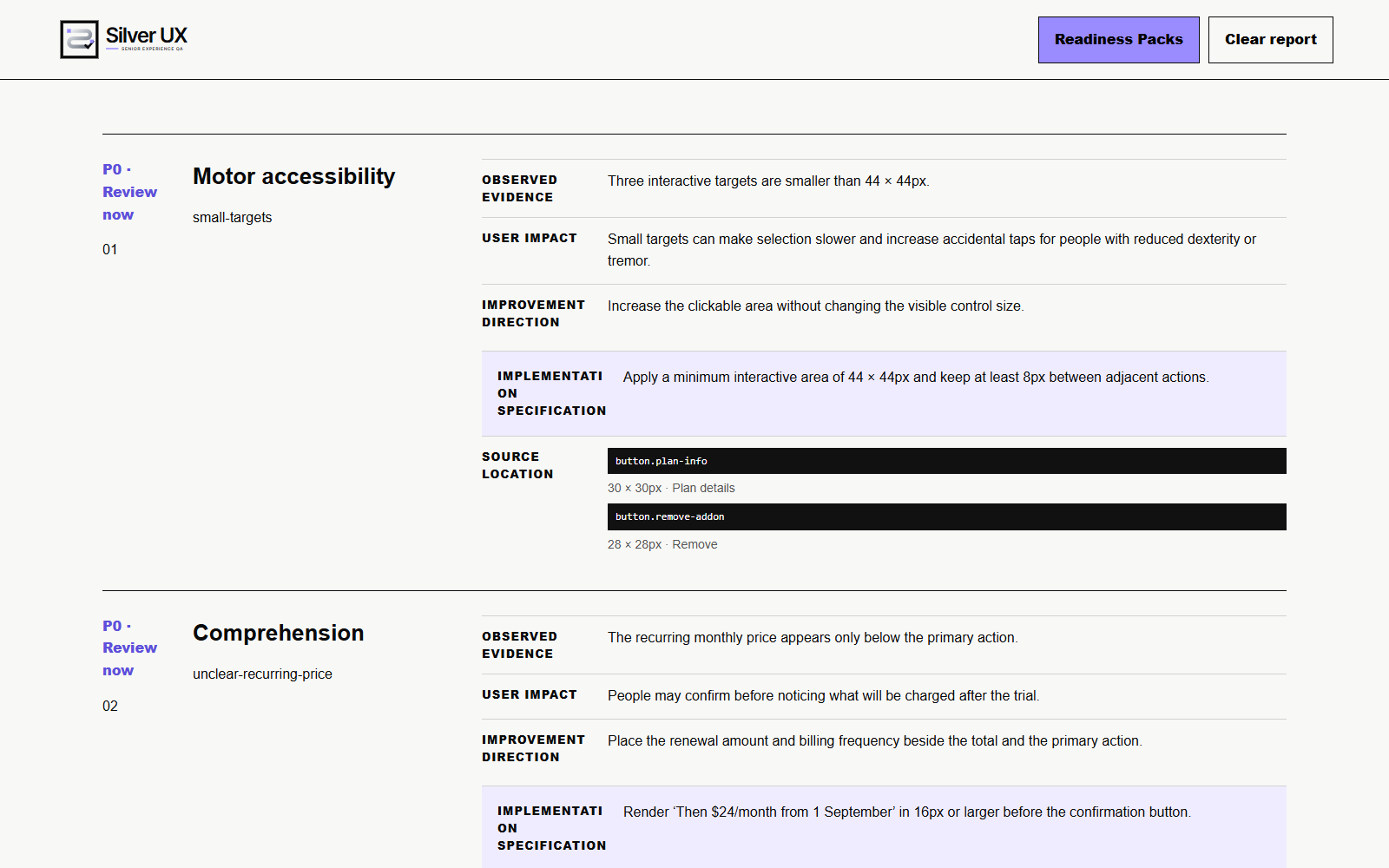
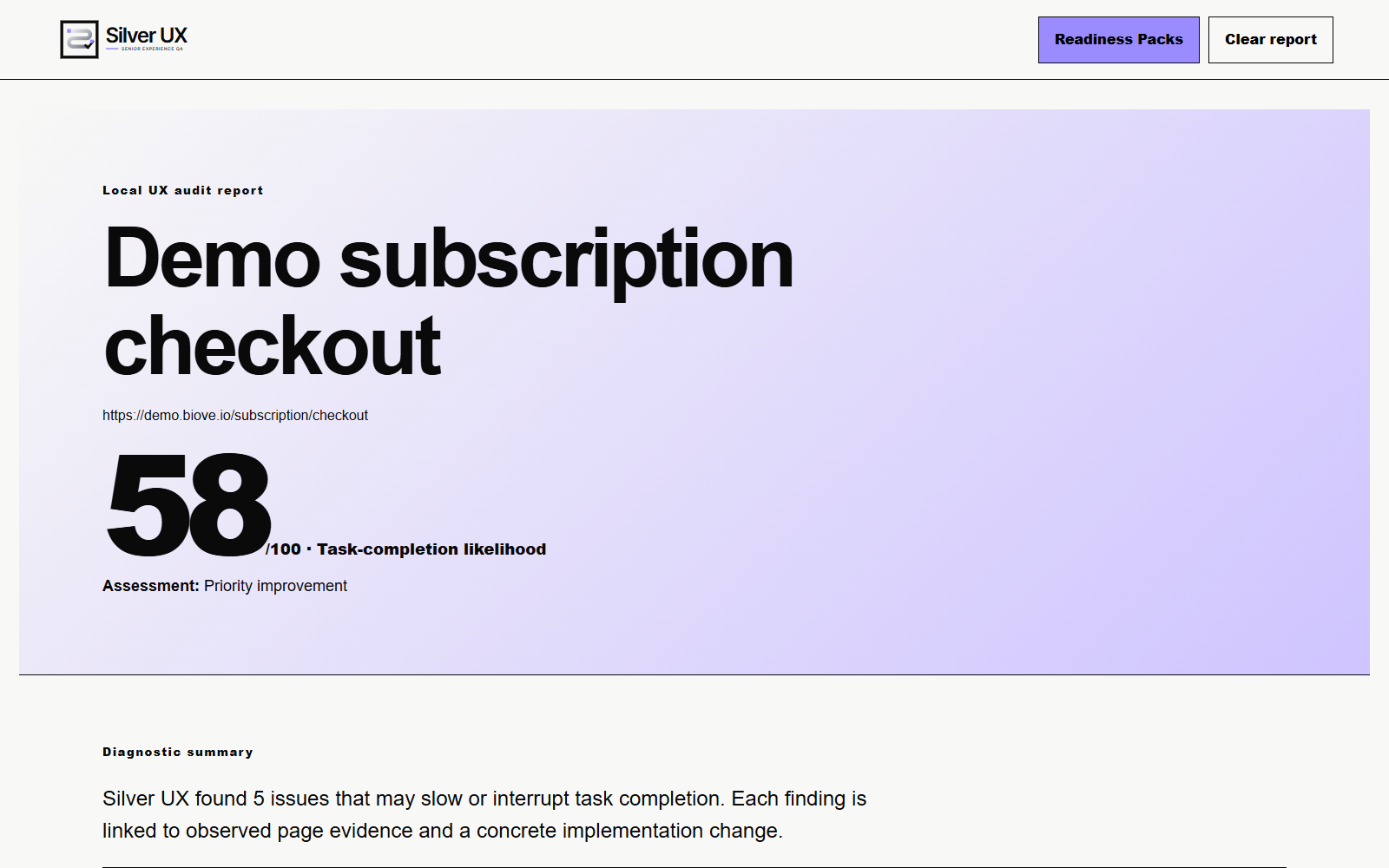
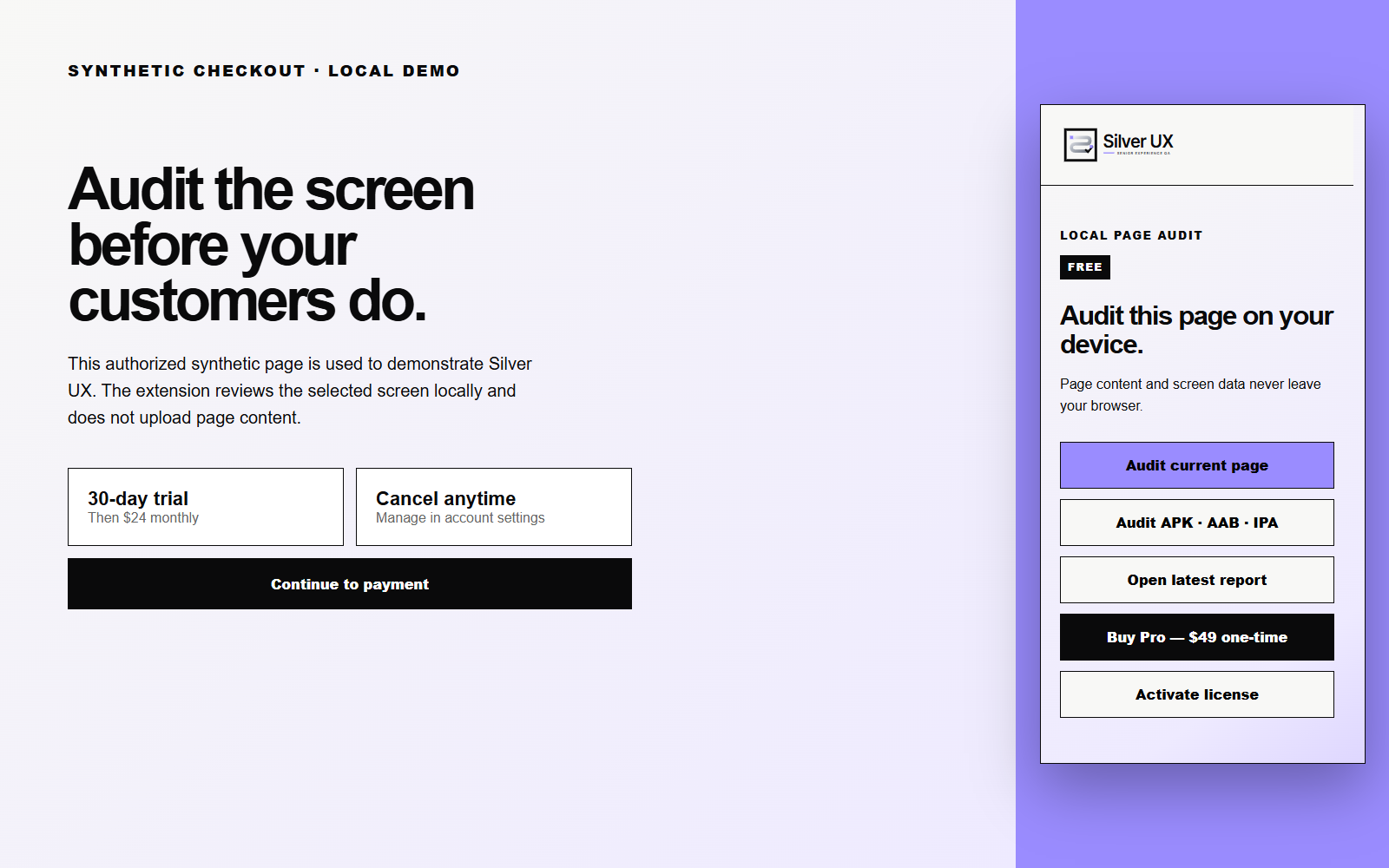
Responsible-use boundary: Silver UX is an automated heuristic review tool. It does not provide accessibility certification, legal advice, medical diagnosis or a guarantee of WCAG conformance. Dynamic states, real behavior and context require separate human and user research.
Try free, upgrade when the output earns its place
Start with the same 0.6.1 audit engine.
Free
- Core web-screen checks
- Five highest-priority findings per screen
- Selected Readiness Pack previews
- No save, copy or export
Individual Pro
One-time licence for the purchaser’s internal work on up to two work devices.
- All 110 current web checks
- Unlimited web-screen audits
- Complete reports and four Readiness Packs
- Copy, JSON and print/PDF
- Local APK, AAB and IPA static inspection
- Paid client-delivery rights not included
FAQ
Before you install
Can Silver UX audit a signed-in web app?
Yes, when the authorized screen is open in the active Chrome tab. Protected Chrome pages and Chrome Web Store pages cannot be audited.
Does page data leave the device?
The core audit runs in the browser. Page HTML, screenshots, sign-in cookies and browsing history are not sent to BiOVE or an AI provider. Paid activation contacts Lemon Squeezy only to validate the licence.
What does Free show?
Free shows the five highest-priority findings per screen and selected Readiness Pack previews. Saving, copying, JSON and print/PDF require Pro.
Does it replace testing with older adults?
No. It automates repeatable early checks and produces review material. Decisions that depend on real behavior, ability and context still require user research.
Can it inspect mobile app packages?
Pro can statically inspect selected APK, AAB and IPA structure and readable resources on-device. It does not run the native app or replace real-device testing.
Find the first five issues free.
Install Silver UX, open the screen you want to review and run the local audit. Upgrade only when you need complete reports and handoff files.