

Local file preparation for Windows
Review what is inside your files before you share them.
BiOVE File Mask for AI reviews and prepares images, PDFs, DOCX and XLSX files locally on your Windows device. English and Simplified Chinese OCR also runs locally.
Windows · Version 1.4.1 delivery recorded · Human review before sharing
Windows
Current operating-system scope4
Image · PDF · DOCX · XLSX2 OCR
English · 简体中文Local
Processing on the Windows deviceProduct workflow
Put the details you need to review in one place.
Choose files, review readable content and preparation results, then decide what is ready to share. The final decision remains with you.
REAL 1.4.1 PRODUCT UI · Captured with the built-in synthetic Project Atlas demo. The current app UI is available in English and Simplified Chinese.
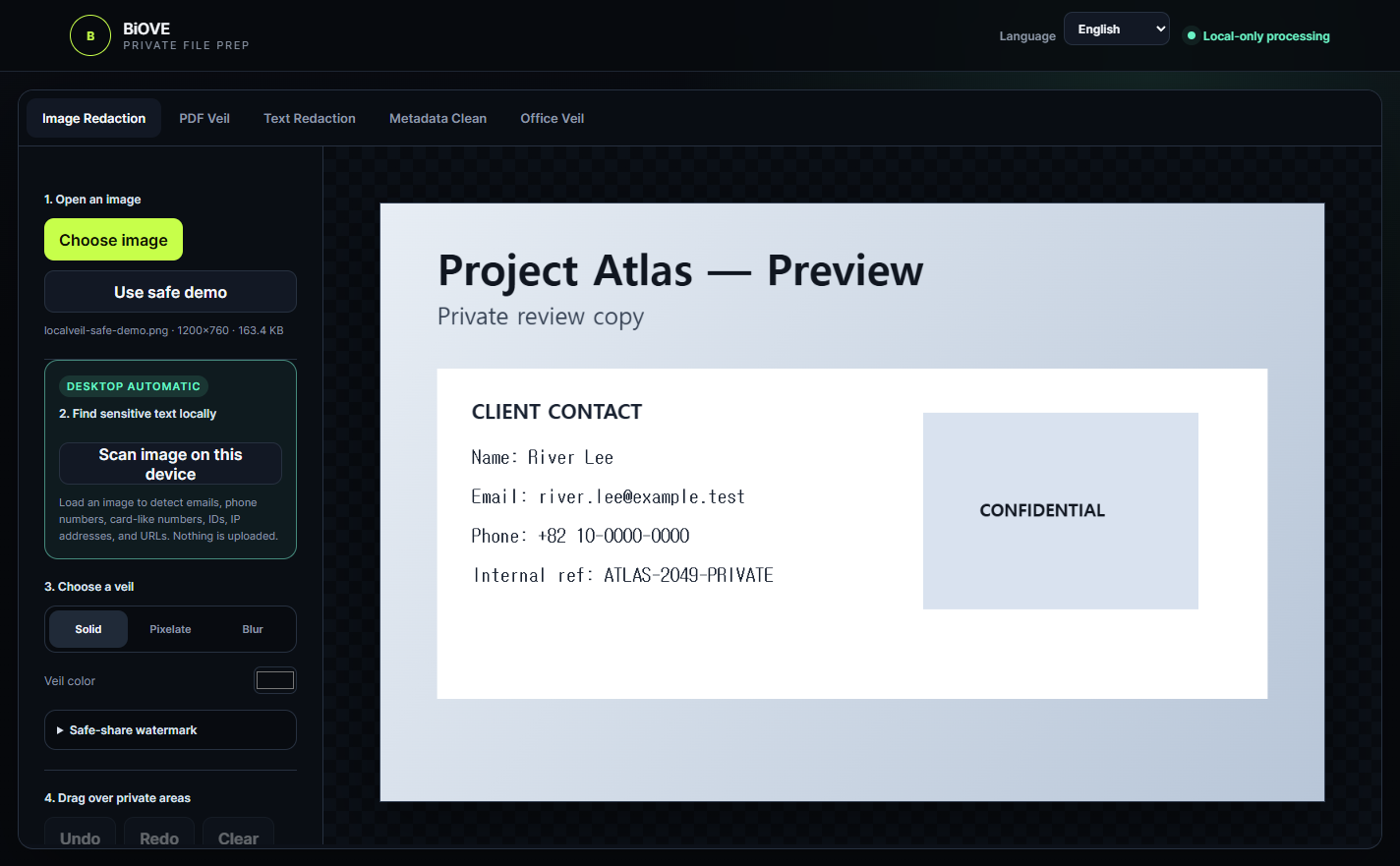
Start · file selection
Choose the files you want to review.
Actual 1.4.1 interface captured with built-in synthetic sample data.
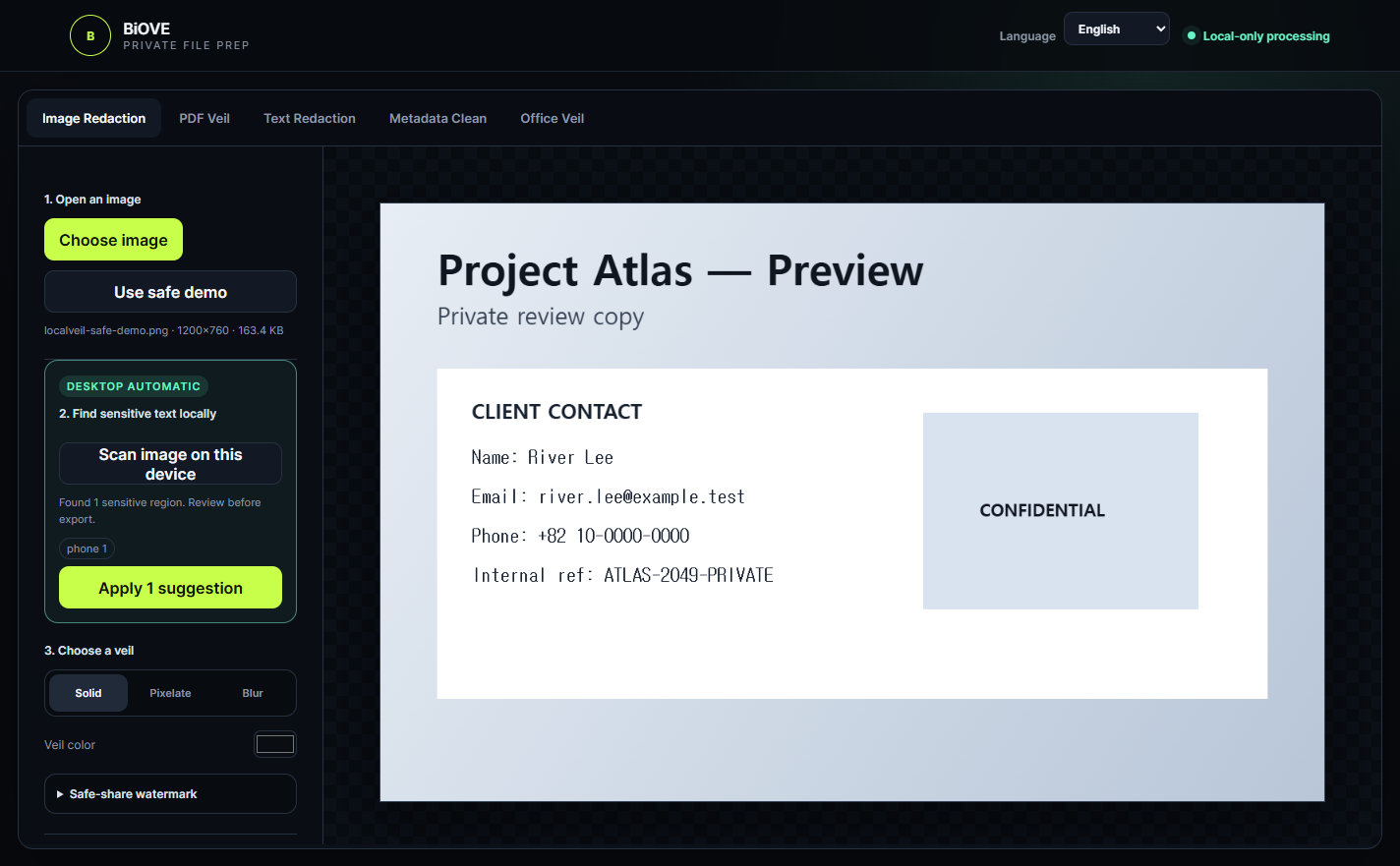
Review · results
Check readable content and preparation results.
Actual 1.4.1 interface captured with built-in synthetic sample data.
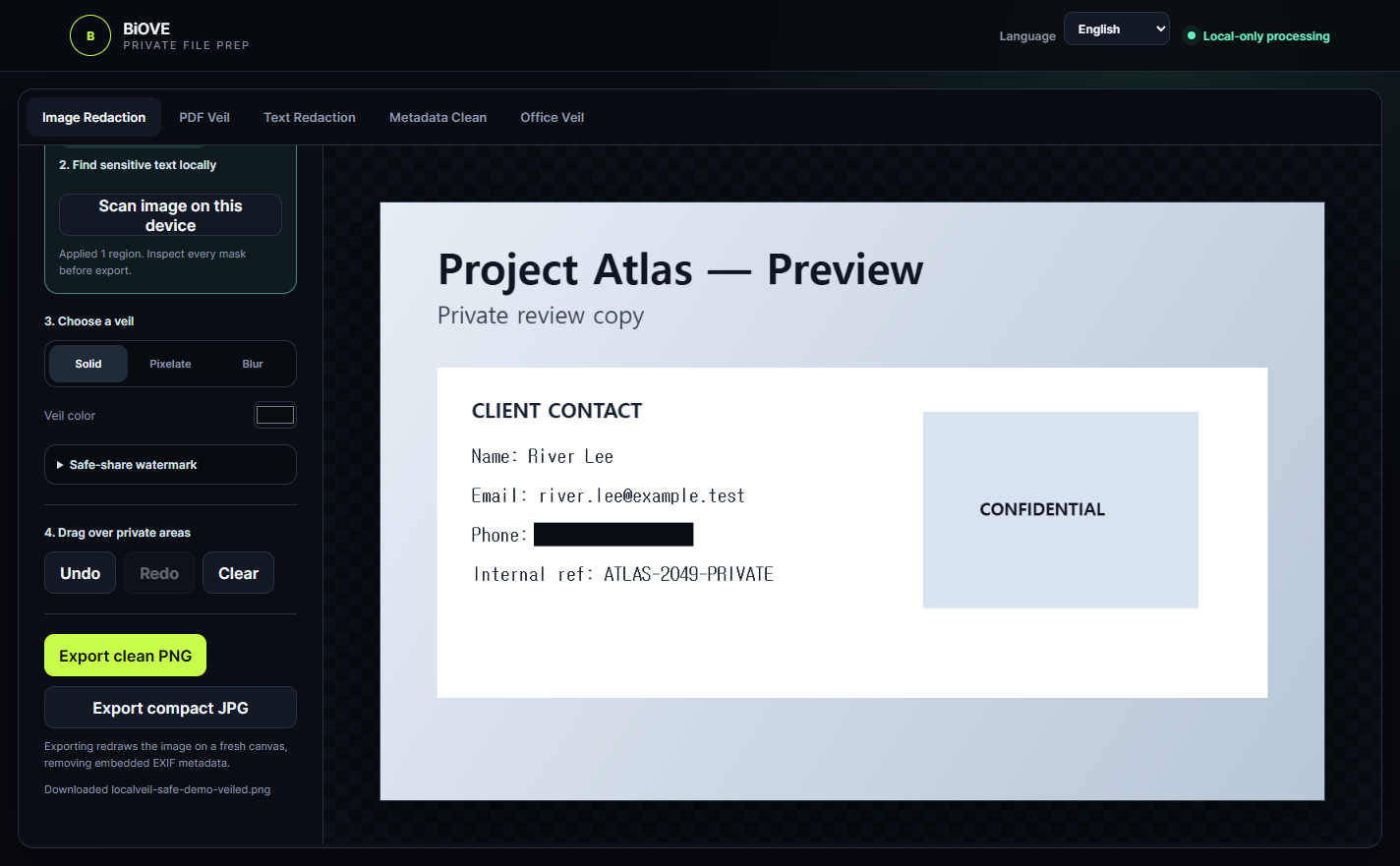
Prepared output
Review the prepared file before you share it.
Actual 1.4.1 interface captured with built-in synthetic sample data.
Processing boundary
Processing runs locally on your Windows device.
Supported files are images, PDFs, DOCX and XLSX. English and Simplified Chinese OCR are available. Review sensitive files yourself before sharing them.
DOCX · XLSX
Preview first
Start with Preview.
Use the free Preview to check installation and the basic workflow, then choose the licence scope you need.
Primary path
Windows Preview
Free
Start with the recorded 1.4.1 Preview deliveryEvaluate the workflow with permanently watermarked PNG/JPG export. Clean, PDF, Office, text and batch export remain locked.
Start freePaid option
Individual
USD 29
one timeOne purchaser · owned or controlled Windows devices.
Buy IndividualPaid option
Team 10
USD 249
one timeUp to 10 named users in one purchasing organisation.
Buy Team 10Paid option
Business 25
USD 499
one timeUp to 25 named users · controlled internal deployment.
Buy Business 25Paid licences change who may use the app. Exported files may be used without restriction; the application package may not be redistributed.
Windows may display a publisher warning.
The current installer may appear as unsigned or from an unknown publisher. Check the filename, version and official checkout/download path, then follow your organisation’s security policy before installing.
FAQ
Before you start
Which files are supported?
The verified scope is images, PDFs, DOCX and XLSX on Windows.
Which OCR languages are available?
English and Simplified Chinese OCR are available. Review OCR results yourself before sharing sensitive files.
Where does processing run?
The verified product scope is local processing on the Windows device. This page does not claim guaranteed anonymisation, perfect OCR or detection of every sensitive item.
What is the difference between Preview and the paid options?
Preview exports watermarked PNG/JPG files only. Individual is for one purchaser, Team 10 covers up to 10 named users, and Business 25 covers up to 25 named users with controlled internal deployment.
Why might Windows show a publisher warning?
The current installer may appear as unsigned or from an unknown publisher. Verify the filename, version and official path, and follow your organisation’s security policy rather than bypassing a warning automatically.